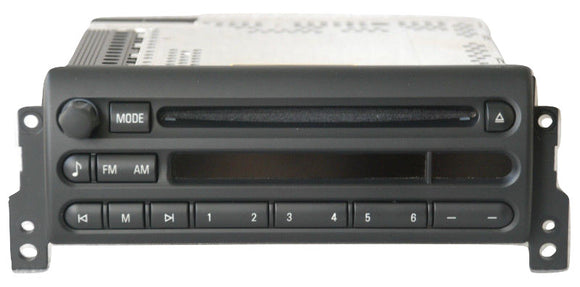
V32 Navigation Firmware Software Update for MINI Cooper R50 R52 R53 DVD GPS Computer
 .
. This listing is for Latest Software V32 Update for 2002-2006 MINI Navigation System. Startup / Bootup Screen Shows the Factory MINI logo. Software has been custom designed to bring your MK4 DVD Navigation Computer to the latest Version 32, 4-1/00+ software improved graphics, MINI Startup Logo and 3D Perspective View. This is ideal for those who cannot find a MINI specific replacement navigation computer, have found one from a BMW, but want the MINI startup logo so it blends with your MINI vehicle. Printed Installation instructions are provided!
Will also work on all 2002+ BMW, MINI navigation systems, specifically those with the "DVD" logo on the front of the computer. Rest assured you will receive a 100% Brand New, Fully functional, tested disc. Buyer is responsible for properly installing software and directions are printed, included and outlined below. We are not responsible for any damage or problems caused by improper installation or failures in original equipment. If you would prefer to send your GPS to us to update, we can offer this service as well. We can also load a custom boot-up image onto your software. Please contact us with any and all questions
Compatible With:
- 2002-2008 MINI COOPER, CLUBMAN, COUNTRYMAN
*Must have DVD navigation computer usually found under passenger seat
Basic Information:
- Simple Installation (insert the CD and the update starts automatically)
- Double layer DVD reading possibility
- Additional options
- Multi-Language Support
- 3D Perspective View and Split Screen Options
- Language options are English, Spanish, German and French.
- High resolution & clearer picture

Installation process:
- Unlock car, open the drivers door.
- Open the trunk, and locate the nav computer and press the eject button on the drive.
- Eject the inserted map disc.
- Switch ignition to position 1, leave door open during entire 5-10 min. procedure!
- Insert firmware disc into drive, follow instruction on nav screen. Be patient, it may take a minute to come up.
- Wait (approx. 7 mins) until navigation monitor prompts to eject firmware cd for reboot.
- Go back to trunk and eject cd, if the CD/DVD has not already ejected itself.
- Remove from drive.
- Replace nav map disc.
- Confirm reboot in car, that completes the update.

Trademark disclosure: Firmware is not an original BMW product. BMW has no affiliation with this product or branded item. No logos are uploaded or altered, rather the original data already found on device are maintained. This is strictly a firmware update and has no impact on navigation maps.
Fitment and compatibility
Application reference: V32 Navigation Firmware Software Update for MINI Cooper R50 R52 R53 DVD GPS Computer
Fitment can vary by production date, trim, drivetrain, factory options, connector style and installed equipment. Before ordering, compare the original component, mounting points, electrical connections and specifications with the listing photographs and details.
Part number information
Part number / catalog reference: Not provided in the source catalog
Part numbers may have supersessions or regional variations. Match at least one reference number and the physical configuration to the original part whenever possible.
Package and installation notes
Quantity is one product unless the title, variant selection or photographs clearly state otherwise. Professional installation is recommended for electrical, safety-related and drivetrain components.
Customer Support
We’re here to help with product questions, orders, repairs and technical support.
Fast Free Shipping
Fast, free shipping on qualifying domestic orders. Order tracking included.
Secure Payment
Your payment information is encrypted and processed securely.