Bluetooth AUX Adapter for Honda Accord Civic CR-V Odyssey Acura TSX 2003-11
Product description
Add Bluetooth music streaming and an auxiliary audio input to a compatible factory Honda or Acura radio without replacing the original head unit.
This aftermarket interface connects to the white 14-pin CD-changer/SAT data port on the rear of supported factory radios. After installation, select the radio’s AUX, CD, CDC or external-changer source and pair a compatible phone or tablet to play audio through the factory speakers.
Product details
- Model/reference: HD-White
- Product type: Bluetooth audio and AUX interface
- Connector: White 14-pin Honda/Acura CDC/SAT connector
- Cable length: Approximately 150 cm
- Material: ABS plastic
- Installation location: Behind the factory radio
- Condition: Brand new
- Aftermarket product; not manufactured by Honda or Acura
- No radio programming normally required
- Not a universal-fit adapter
Features
- Wireless Bluetooth music streaming
- Direct audio connection through the factory radio
- Auxiliary audio-input capability
- Retains the original radio and dashboard appearance
- Compact module can be concealed behind the dashboard
- Compatible with many factory single-CD, six-disc and navigation radios
- Powered through the factory radio connection
This unit is principally advertised as a music-streaming adapter. Hands-free telephone calling, an external microphone, track-title display and steering-wheel track control should not be promised unless those functions have been individually tested and confirmed.
Compatibility
Honda
- 2003–2011 Accord
- 2006–2010 Civic
- 2004–2011 CR-V
- 2003–2011 Element
- 2006–2011 Fit
- 2005–2010 Odyssey
- 2005–2011 Pilot
- 2005–2010 S2000
Acura
- 2006–2011 CSX
- 2005–2006 MDX
- 2007–2011 RDX
- 2004–2011 TSX, except Type-S configurations specified by the original seller
Not compatible with 2004–2008 Acura TL according to the seller’s application information.
Frequently referenced compatible radio IDs include:
- 1SC0
- 1YC5
- 2HU2
- 2J30
- 2J32
- 2J34
- 2JB0
- 2KA0
- 2MB0
- 2P30
- 2P32
- 2P34
- 2PL4
- 2TW0
- 3TS0
- 3YC0
- 3YN0
- 4MF1
The vehicle list is only a preliminary guide. Different factory radios were installed within the same model and year. The buyer must verify that the radio has the matching white 14-pin connector.
PAC’s application guide confirms that this generation of Honda/Acura auxiliary interface requires a white 14-pin CD-changer or satellite-radio data port. It also warns that certain AcuraLink configurations are incompatible. PAC application and installation guide
A similar installation guide specifically warns that radios with a blue 14-pin connector are incompatible. Honda/Acura 14-pin interface instructions
Important compatibility notes
This adapter may not operate correctly when:
- The factory radio lacks the white 14-pin CDC/SAT port
- The radio has a blue or differently keyed connector
- An aftermarket radio is installed
- The port is already occupied by factory XM, an external CD changer, cassette player or another accessory
- The vehicle is equipped with an incompatible AcuraLink system
- The factory radio cannot select an external changer or AUX source
If the connector is occupied, the existing accessory may need to be disconnected. A compatible Y-adapter may be required to retain certain factory equipment. Disconnecting factory XM or navigation-related equipment can disable those functions.
Installation overview
- Obtain the factory radio security code before disconnecting the battery.
- Disconnect the negative battery terminal.
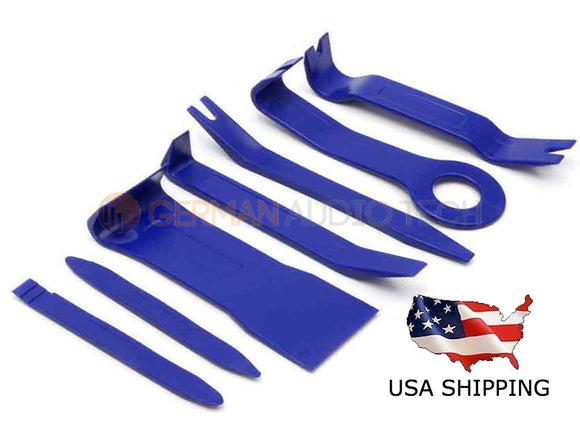
- Remove the factory radio using suitable trim-removal tools.
- Locate and verify the white 14-pin CDC/SAT connector.
- Disconnect any incompatible accessory occupying the port.
- Connect the adapter securely.
- Route the module or AUX connection to the desired location.
- Reinstall the radio and reconnect the battery.
- Pair the phone or tablet with the Bluetooth module.
- Select AUX, CD, CDC or the external-changer source on the radio.
Professional installation is recommended when the radio must be removed or factory XM/navigation equipment is present.
Package contents
- One Bluetooth interface module
- Attached Honda/Acura radio cable
- White 14-pin connector
- Approximately 150 cm cable
Only the pictured components are included. Radio-removal tools, Y-harnesses, mounting hardware and additional audio cables are not included unless expressly shown.